

Group images (1)
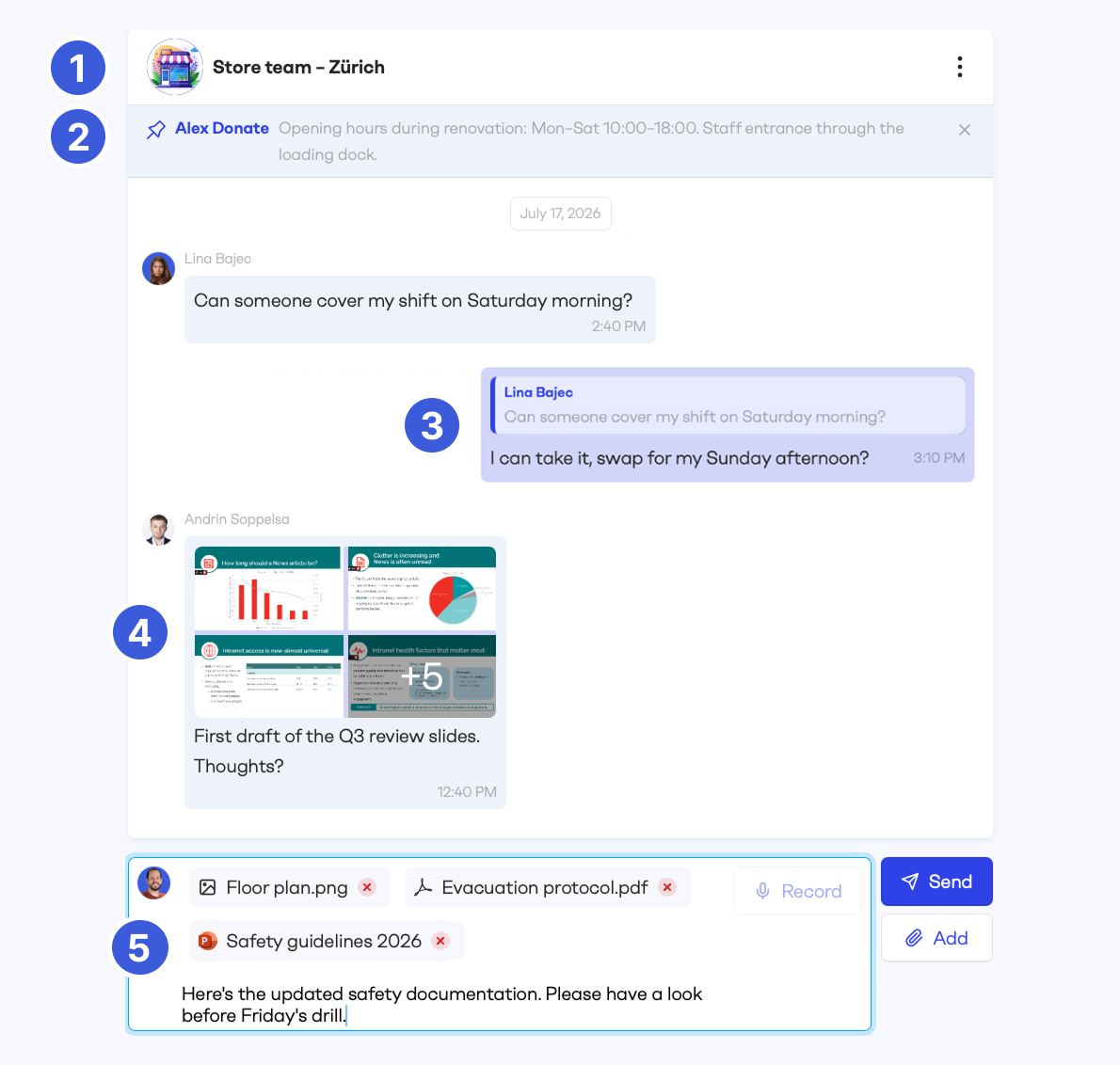
Group chats can now have their own group image, making them easier to recognise in your conversation list.
Pin a message (2)
Each conversation can have one pinned message, shown at the top for quick access. Pinning works in 1:1 conversations and group chats; in group chats, only group admins can pin and unpin.
Reply to messages (3)
You can now reply to any message, and your reply is shown together with the original message it refers to.
On desktop, hover over a message to open the actions menu with reply and pin. On mobile, tap and hold a message, or simply swipe right to reply.
Richer attachments
You can now send multiple images in one message (4). They appear as an image grid, and clicking an image opens the carousel where you can browse through all of them.
You can also combine images and files (5) (PDFs, PowerPoints and more) in a single upload, and add text in the same message to give your attachments context.
PDFs additionally show an inline preview, making them easy to spot in the conversation.
Messages is a premium feature and is not enabled by default. To turn it on for your organization, get in touch with your Customer Success Manager.


