

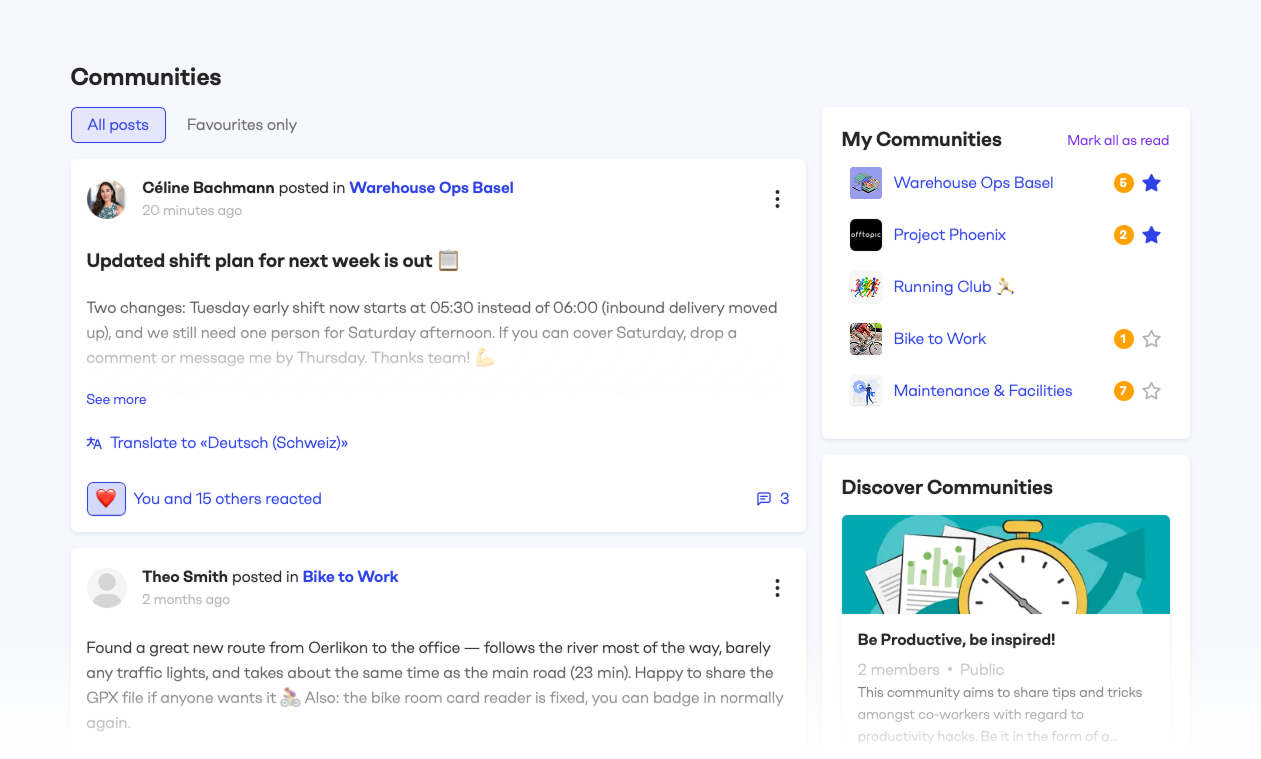
One feed for all your communities
The feed shows the latest posts from every community you're a member of, newest first. New comments appear too, so ongoing conversations resurface instead of getting lost. React and reply directly from the feed, or use the filter to switch between "All posts" and "Favourites only".
Keep the communities that matter most on top
Star any community in your My Communities list to make it a favourite. Favourites move to the top of your list, and their posts power the "Favourites only" feed filter.
Best candidates: the communities you work in every day and can't afford to miss. e.g. Your team's operations community, where shift plans and daily updates land.
Know what's new at a glance
Each community in your list shows a count of new posts and comments. Opening a community clears its count, and "Mark all as read" clears everything at once.
Head over to Communities and give it a try!


